Build a Ruby REST API in one minute ⚡
Introduction
Ruby is known for its simplicity, rapid development capabilities, and reliability. With its powerful libraries and frameworks, you can achieve a lot with minimal effort. Today, we’ll explore Sinatra, a lightweight framework that lets you build APIs in no time. This makes it perfect for creating a Proof of Concept (POC) or small production-ready applications quickly.
What You’ll Need 📝
Ruby (latest version recommended)
Sinatra and dependencies (rackup and puma)
Postman for testing
After installing Ruby, install Sinatra and its dependencies:
gem install sinatra rackup puma
Then, in order to check if it's working, create a Ruby file:
# myapp.rb
get do
end
Run it with:
ruby myapp.rb
Visit: http://localhost:4567
(You are supposed to see the Hello World page)
Building the Book REST API
Let’s create an API with a few basic operations to manage books.
Why only a few operations instead all of them? Stick to the final of this article — no spoiler 🤐
Code Structure
# In-memory storage for simplicity
books = []
content_type :json
status status
data.to_json
end
Here we are defining a few things:
- In-memory storage - We're using an array for simplicity. For production, you should use a real database.
- json_response method - Handles JSON response formatting with content type, HTTP status, and data.
Now, let's build our first endpoint!
POST /books
# Create a new book
post do
payload = JSON.parse(request.body.read, symbolize_names: true)
new_book = { id: books.size + 1, title: payload[:title], author: payload[:author] }
books << new_book
json_response(new_book, 201)
end
Note that we've added a POST to /books that stands for "create a new book" and we can go from line to line to understand what it's happening:
- Parses the client's JSON payload into a Ruby object
- Constructs a new book object and adds it to the
booksarray - It's the same as "inserting" a new record into the database
- Sends the created book as a JSON response with a 201 status
Straightforward, right?!
Let's now build another endpoint that will help us to see those created books
GET /books
# List all books
get do
json_response(books)
end
There's no secret in this one, we already have the data which is an array of books within the variable books
This would be the same as performing a query to bring all the records from a database.
With those two endpoints defined our final code looks like this:
# In-memory storage for simplicity
books = []
content_type :json
status status
data.to_json
end
# Create a new book
post do
payload = JSON.parse(request.body.read, symbolize_names: true)
new_book = { id: books.size + 1, title: payload[:title], author: payload[:author] }
books << new_book
json_response(new_book, 201)
end
# List all books
get do
json_response(books)
end
Testing
For testing we are going to use Postman which is a HTTP client that will help us to perform the operations in our endpoints
- Running the server
ruby myapp.rb
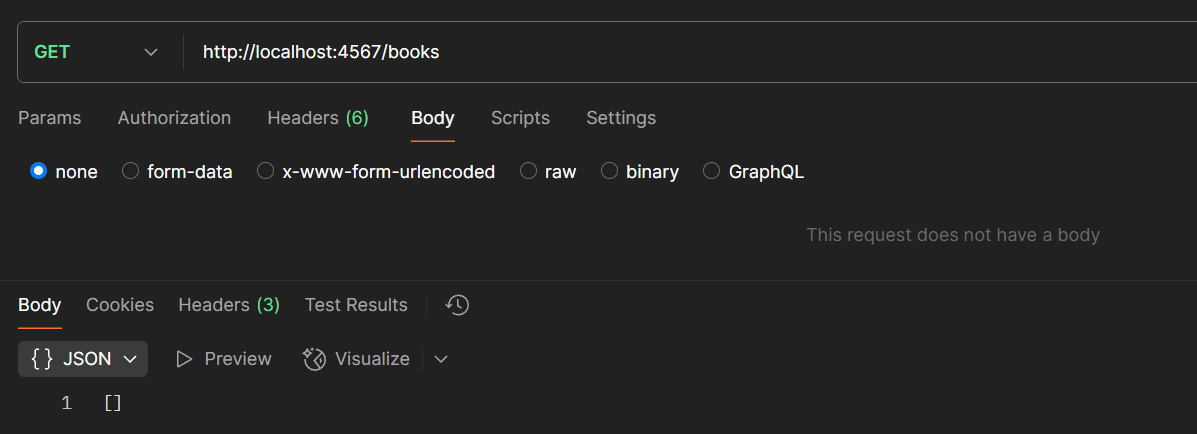
- Checking existing books
Perform a GET /books request. Initially, the response will be an empty array:
- Creating a new book
Send a POST /books request with the body:
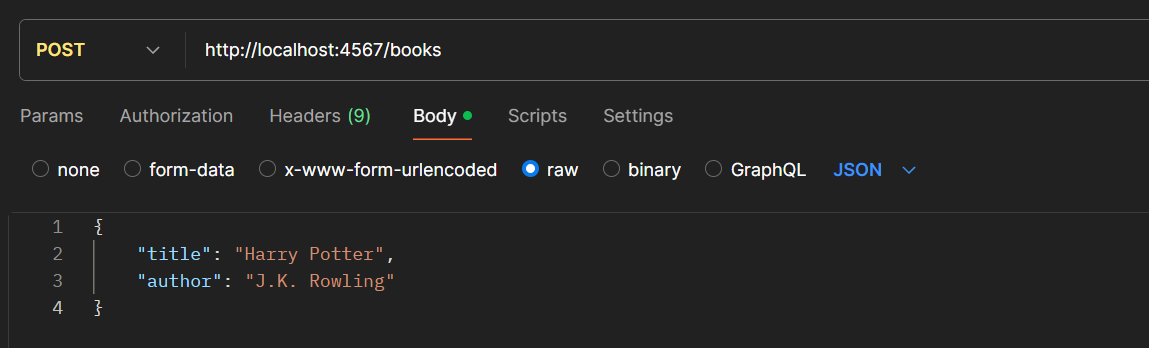
Response:
- Verifying creation
Perform another GET /books request to see the newly added book:
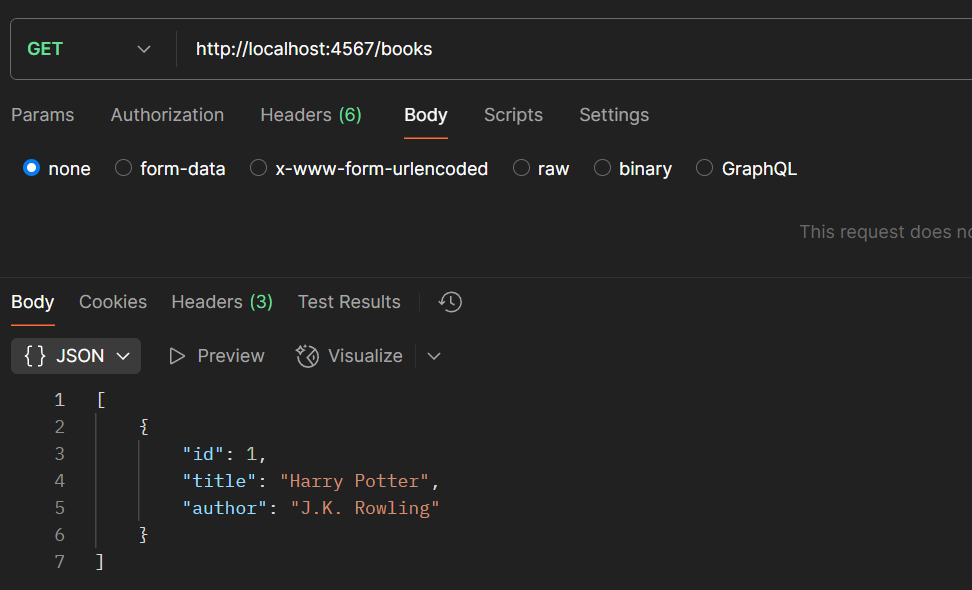
VOILÁ!!! 🧙 The book is there
Conclusion
You've built a simple API in no time! But wait, where are the other endpoints?
Challenge: Add endpoints for update, delete, and show operations. Test them using Postman or another HTTP client.
If you have any questions, doubts or suggestions you can reach me out through my social media listed on my homepage
Thank you for reading — happy coding! 👋😃